One click and you're done. Thank you!
- Keyboard Size: 65%
- Key Feel: Tactile and Quiet
- Switch Type: Razer Mechanical Switches Gen-3 (Tactile)
- Lighting: Razer Chroma RGB
- Wrist Rest: None
- Onboard Memory: None
- Media Keys: Secondary Media Keys
- Passthrough: None
- Connectivity: Detachable Type C Cable
- Keycaps: Doubleshot ABS Keycaps
- Others: Razer Snap Flex and Snap Tap
- Others: Dual-Keypress Priority
- Others: Razer Synapse enabled
- Others: 1,000 Hz Polling Rate
- Others: N-key rollover & Anti-ghosting
- Others: 100-million keystroke lifespan
Keyboard enthusiasts have been around for many years, with people using all kinds of setups and layouts to create their own unique experiences. One of those experiences that keyboard enthusiasts do not want to miss is the Razer Reclusa X Mini 65%, which is a new keyboard from Razer that is specifically designed with keyboard enthusiasts in mind.
If you haven’t heard of Razer and its tech, you must have been hiding in a cave, as it is one of the biggest companies in the world for gamers and workers alike, and throughout the years it has managed to push the envelope in terms of gaming technology. Now Razer has done it again, but not just in creating a keyboard, but by creating a keyboard that is designed to be entirely changed up by the user in terms of the keycaps to create something entirely new and personal for the user.
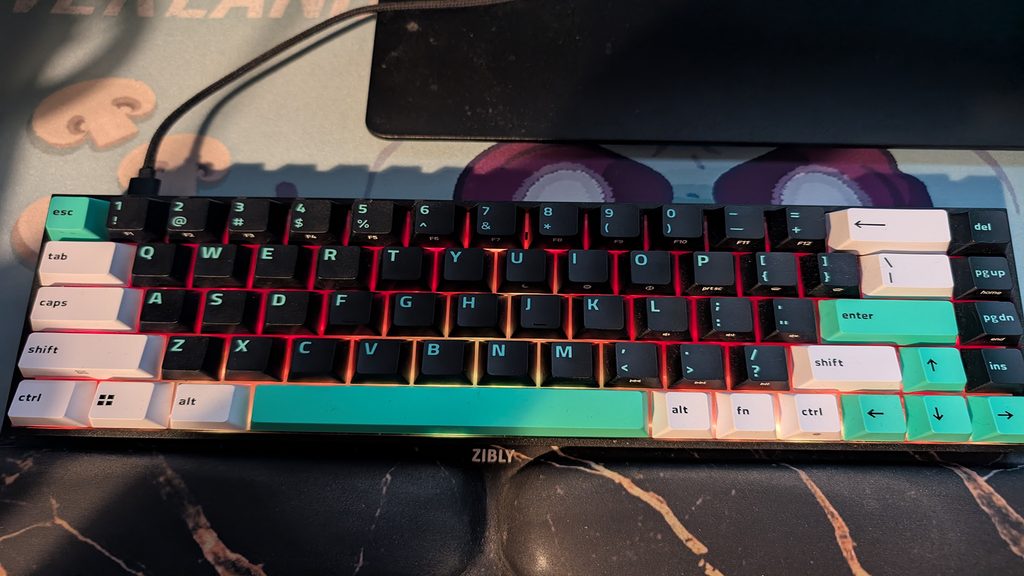
Before we talk about the key swapping with the Razer Reclusa X Mini 65%, let’s talk about the actual design of the keyboard and its other features, as these are just as important as its customisable form. As you have likely guessed by the name, the keyboard isn’t a full-sized keyboard and doesn’t include a numpad, meaning it is quite compact and allows users with less desk space, or even taking the keyboard on the move for whatever reasons, a lot easier.
When it comes to the actual responsiveness of the keyboard, it is quite impressive, as the keys are very easy to use. This is down to its tactile design and sensitive keys, meaning that it doesn’t require a lot of pressure to use the keys, and this is incredibly effective for gamers, as this means they can make snap decisions without the risk of their keys slowing them down too much.
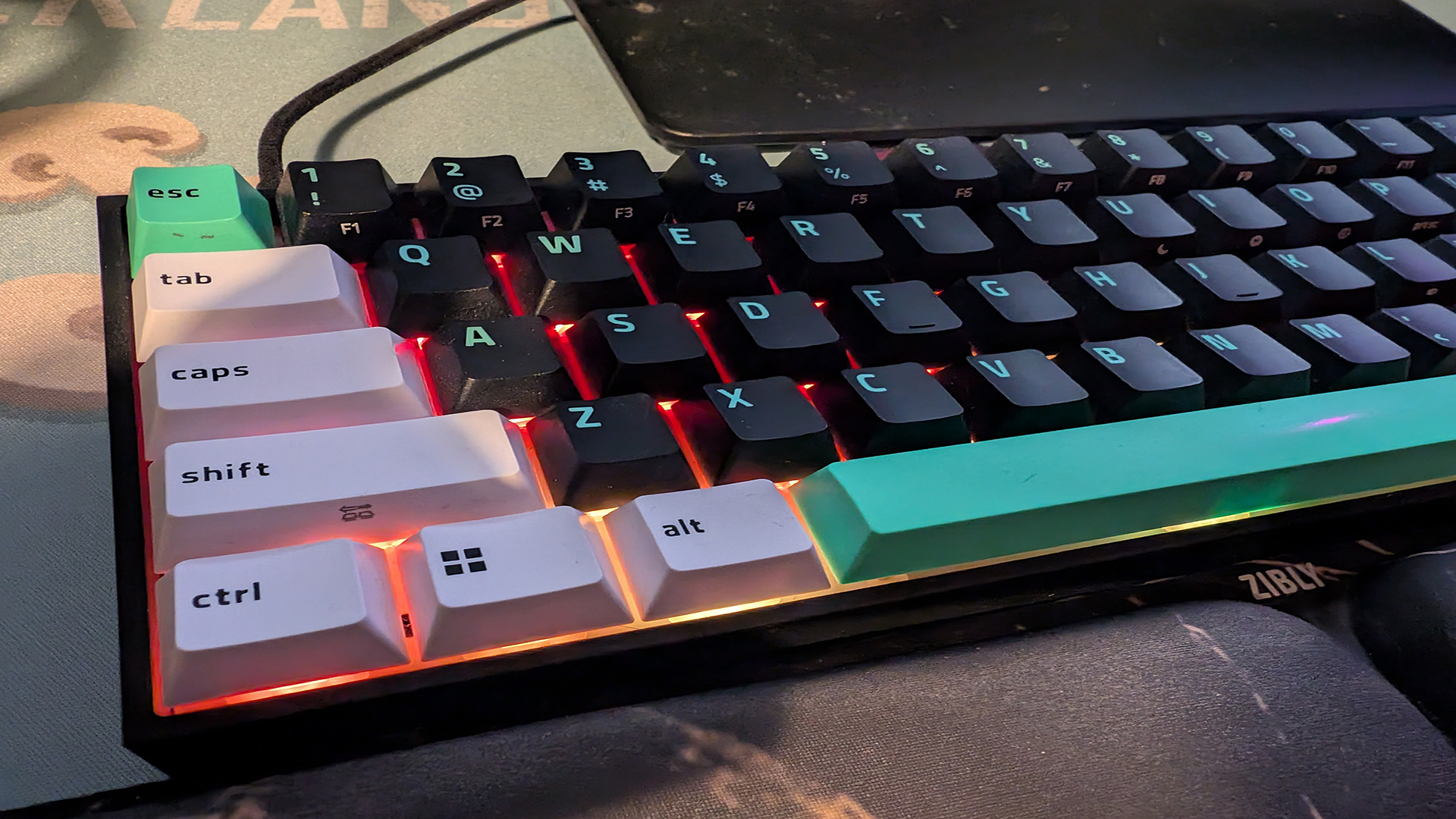
Along with this, the Razer Reclusa X Mini 65% boasts a slightly slanted design with a robust base, allowing it to be raised enough that you are able to use your own wrist rests (like I do) without worrying about having to lower your hands and hurting your wrists, while also providing a rather sturdy base to the keyboard, ensuring it doesn’t mean or rely on extra plastic in the form of legs to raise or lower it, but this does mean that it is a one-size-fits-all scenario with no option to change it.
Although it is not a direct feature built into the keyboard in terms of a dial or switch, there is also the option to download the Razer Synapse app on your PC, which allows you even further control and customisation of your keyboard. There are quite a few ways this can take place within the Synapse app, as you can add macros to your keys, which can add uses to keys that you may not use. For example, I set it up so that my Page up key which I didn’t use very often, would open up the Steam application so that I didn’t have to minimise my pages to open it.







This isn’t the only macro that you can use as you can even set up commands, launch websites, and even text allowing you to press one simple button and it will automatically type in a word for you or even a phrase. Although in gaming terms there isn’t a whole lot of uses for these types of commands unless you use text chat a lot and want to type things like “GG WP” without actually typing it.
When it comes to features that the keyboard brings that gamers will appreciate, one is that the keyboard does boast a gaming mode, which can be used to alter how the keyboard works while gaming, such as removing certain key shortcuts like Alt+Tab so that you are able to use these keys together during gaming without activating their usual response.
To make gaming even more interesting, there are two other features that you can use, one being Snap Tap and one being Snap Flex. To use these features, you will have to use the Synapse app to set up which keys will be affected. Using Snap Tap, it will ensure that you won’t have two keys interacting at the same time, but there are a few different settings that alter how this works. There is also Snap Flex, and this can be used to create a function for your keys that triggers upon release of the key, so this could make it so, for example, if I set up a Snap Flex so that if I press the 1 key, when I release it, it can also type 2, creating a 12 once the button is clicked.
Other options are things like altering what key does what, but this only really has a purpose if you are looking to create your own key sequences to suit your comfort. This isn’t the only thing you can change when it comes to the actual keyboard through this app, as you can even change the RGB throughout the keyboard by making it more or less bright and even changing how the actual RGB behaves.
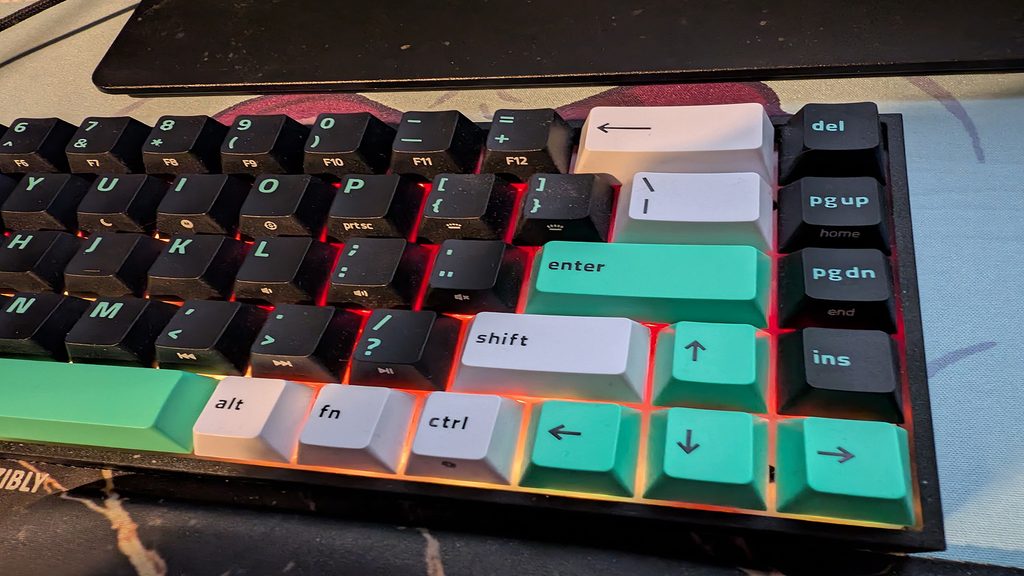
What I mean by this is that you can have it so that the RGB can move across the keyboard like a wave, like stars shining, and the choice I eventually went with was fire, which has the keyboard in a red and orange glow that is quite soft, with the lights fading in and out, creating a rather calming atmosphere, especially when I played horror games in the dark.
Finally, let’s talk about the biggest feature of the Razer Reclusa X Mini 65% keyboard, and that is the ability to swap out all of the physical keys on the keyboard and essentially create your own keyboard. To do this, you will simply need to remove the keys, which is very easy, as the keys are simple to pop out and replace.
For those who are worried if this keyboard will be suitable for the keys they have at home, you simply need to ask yourself what kind of pin switches your keys use, as this keyboard is compatible with both 3-pin and 5-pin switches and utilises a simple press-in feature, meaning you don’t need to worry about breaking the sockets on the keyboard.
When it comes to the price of the Razer Reclusa X Mini 65%, it is entirely worth the starting low cost of $49.99 in America or £59.99 in the UK, which for a keyboard that allows you to entirely create your own unique keyboard with each key being swappable to whatever you want, this is considered an absolute steal as a price.
For me, while using this keyboard, I was very happy to try out its different features, such as the soft response of the keys, which was very helpful in regard to ensuring I wasn’t having to slam down on each key, or were they too soft, meaning I was constantly misclicking as I brushed over a key.
Sadly, I personally didn’t find too many uses for the gaming mode on the keyboard or the Snap Flex or Snap Tap throughout a majority of my time with the keyboard, but when I tried them out both in my writing work and in my gaming, they could often become quite useful, with me being able to use Snap Tap to trigger multiple in-game actions back to back.
For example, while playing games like Call of Duty, you can use the Snap Tap option to make it so that you can do a slide with only one button press; as you press the Shift key, you can assign the release of the Shift key to interact as if it were C, allowing you to transfer right into a slide without having to press two keys.
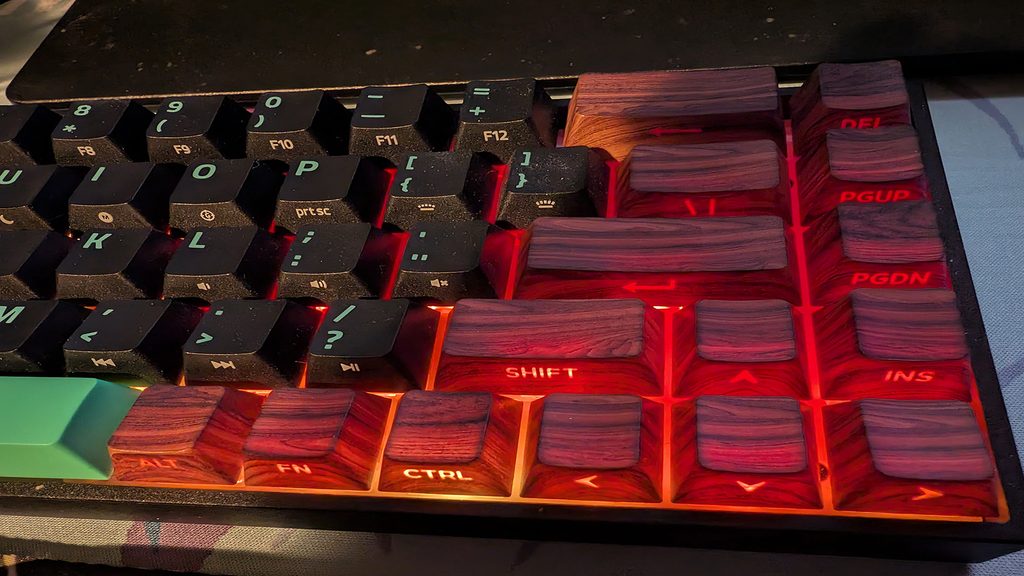
Overall, using the keyboard was quite a good experience, with the responsiveness being very rapid. The freedom to essentially create my own keyboard was a blast, as I have been using a wooden keycap set, which works great with the RGB on the keyboard depending on the lighting system you choose. As I mentioned earlier, I chose the fire RGB, and some of the outside keys weren’t lighting up as well as those towards the centre, which wasn’t the case with the original keycaps.
However, what made the keyboard’s ability to swap keycaps great was the fact that even with different keycaps, it didn’t alter how these keys would react, meaning the performance of the actual keyboard didn’t wane, and I was still able to use it to its fullest potential.
The Razer Reclusa X Mini 65% is now available for purchase from the Razer website.
For your next read, why not check out our Ducky OK-M Keyboard review or check out our review for Stupid Never Dies?

Liam is a Senior Editor, Writer, and Critic for Thumb Wars and has been working with the team since day one. Liam is a big fan of all things gaming, as you will catch him playing all of the new releases from every genre you can imagine. Whether you find Liam gaming just for fun or spending his free time streaming, you will always find a smile on his face when it comes to all things gaming.